
What are WordPress Themes and How Do They Work?
 What are WordPress Themes and how do they work? A WordPress theme is a website’s design–or look and feel-. It is the first thing that visitors see when they come to your site. A WordPress theme is a collection of files which work together to bring your blog or website to life. A WordPress theme includes both style sheets and templates.
What is a WordPress theme?
A WordPress theme consists of template files that come together to produce the graphical interface. Template files can be found in these most types of websites, including e-commerce stores and blogs. A theme might modify how the site looks but not change how it functions.
Themes are composed of two parts:
- Templates which control the structure and layout of your content.
- Stylesheets (CSS) which change how your content looks.
You can think of a WordPress theme as a skin that you apply to your website. It changes the way your site looks on the front-end, i.e. what a visitor sees when they visit your site.
What does a WordPress theme do?
WordPress themes are responsible for the overall look and feel of your website. They determine the layout, colour scheme, typography, and other visual elements. In short, a WordPress theme is what makes your website look the way it does.
While you can find free WordPress themes all over the internet, we recommend investing in a premium theme from a reputable third-party d developer. Premium themes offer more features and options than free themes, and they are usually updated more regularly to keep up with the latest trends.
When choosing a WordPress theme, it’s essential to consider your needs and objectives. For example, do you want a simple blog or a complex corporate website? Do you need e-commerce functionality or social media integration? Once you know what you need, you can start narrowing down your choices.
There are literally thousands of WordPress themes available, so finding the perfect one for your website can seem daunting. However, if you take the time to do your research and ask yourself some key questions, you’ll be sure to find a theme that’s just right for your needs.
How does it work?
When you select a theme, you choose the layout, colour scheme, and overall appearance of your site. You can preview how different themes will look on your site before making a final decision. Once you have chosen a theme, you can further customize it to better suit your needs by adding plugins or editing the code yourself.
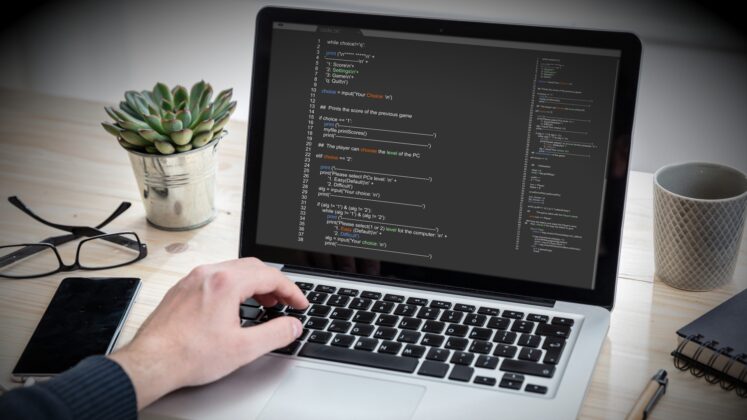
With a WordPress Theme, you can create a lovely-looking site with no coding skills
Types of WordPress themes
There are two types of WordPress themes: free and premium. Free WordPress themes are available to download from the WordPress.org theme directory. Premium WordPress themes are available for purchase from third-party websites.

Both free and premium WordPress themes come with designs that can be customized to match your website’s branding and colours. Free themes typically have fewer features and customization options than premium themes. Premium themes often include more features, such as pre-designed layouts, drag-and-drop page builders, and eCommerce integration.
When deciding which WordPress theme to use for your website, you must consider your budget, time constraints, and the level of customization you need. For example, a free theme may be the best option if you’re on a tight budget or don’t have time to customize a theme. On the other hand, if you have the budget and want more flexibility in terms of design and functionality, a premium theme may be a better option.
Getting your WordPress theme set up
Installing a theme is easy. First, log in to your WordPress dashboard and go to appearance> Themes. Then click the Add New button at the top of the page.
On the next screen, you can upload a theme file from your computer or search for a theme in the WordPress.org Theme Directory. If you choose to search for a theme, you’ll be able to filter the results by features, subject, and popularity.
Once you’ve found a theme you like, hover over it and click the Install button. After installation is complete, click the Activate button to make it live on your website.
Once your theme is activated, you can start customizing it to match your brand or style.
Customizing the look of your WordPress Theme
Regarding WordPress themes, there is a lot of flexibility in how you can customize the look and feel of your site. While some themes offer a limited number of customization options, others provide a wealth of options that allow you to really make your site your own.

Most themes allow you to change the colour of your website to match your Brand.
One of the most common ways to customize a WordPress theme is by using child themes. A child theme is a separate theme that inherits the functionality and styling of its parent theme. This allows you to make changes to your child theme without affecting the parent theme, making it an ideal way to experiment with different looks for your site without worrying about breaking anything.
Another way to customize the appearance of your WordPress site is by using Customizer. The Customizer is a built-in WordPress tool that allows you to live preview changes to your site before they go live. This allows you to experiment with different looks for your site and see what works best for you without committing to any changes until you’re happy with them.
Finally, another popular way to customize WordPress themes is through the use of plugins. There are literally thousands of plugins available for WordPress, many of which add additional features and functionality to your site. Some plugins also add new settings panels to the Customizer, giving you even more control over how your site looks and works. So whatever you want to do with your WordPress site, there’s likely a plugin that can help you do it.
In summary
In summary, WordPress themes give you the power to change the way your website looks without having to edit any code yourself. If you want to experiment with different designs or layouts, all you need to do is install a new theme and activate it on your site. They provide an easy way to change your site’s appearance without editing any code. Thousands of free and premium themes are available, so you can find one that fits your needs.
Need help turning this advice into action?
If you are reviewing your website, marketing or online visibility, we can help you work out what to improve first.
Related articles
 Content
Traffic Magnets That Keep Visitors Coming Back
Getting people to visit your website is one challenge. Giving them a reason to stay, discover your business and come back is another. We…
Read article
Content
Traffic Magnets That Keep Visitors Coming Back
Getting people to visit your website is one challenge. Giving them a reason to stay, discover your business and come back is another. We…
Read article
 SEO
Designing a Website with SEO in Mind
Designing a Website with SEO in Mind walks you through the steps you need to creae a website that serves people and search engines…
Read article
SEO
Designing a Website with SEO in Mind
Designing a Website with SEO in Mind walks you through the steps you need to creae a website that serves people and search engines…
Read article
 Websites
How to Post on WordPress
WordPress is one of the most popular Content Management Systems (CMS) on the internet. This guide will walk you through the basic steps and…
Read article
Websites
How to Post on WordPress
WordPress is one of the most popular Content Management Systems (CMS) on the internet. This guide will walk you through the basic steps and…
Read article
 VideoandWeb.com