
Tips to Elevate your Website Imagery
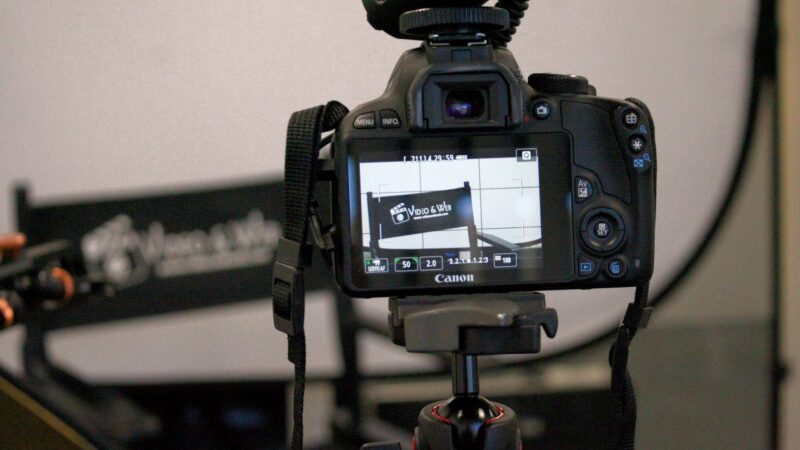 Tips to elevate your website imagery. Are you tired of your website feeling lacklustre and uninviting? Are you ready to make a lasting impression on your visitors? Look no further – we’ve got expert tips for using images on your website that will take it from drab to fab.
From choosing the right images to optimising their placement, we’ll help you create a visually stunning site that keeps visitors returning for more. So get ready to impress with these essential image tips!
Introduction – Why Images Matter
Images are one of the most important elements of a website. They can help set the tone and style of the site, communicate messages, and engage visitors. When used correctly, images can significantly impact your website design.
There are a few things to keep in mind when using images on your website:
- Make sure the images are relevant to your content.
- Use high-quality images that are clear and easy to see.
- Use images that add value to your content and help tell your story.
- Be careful not to overuse images, or they could become distracting.
- Make sure you have the right to use any images you include on your site.
Image File Formats for the Web
Three primary image file formats are used on the web: JPEG, GIF, and PNG. Let’s take a look at each one in more detail.
JPEG is the most common image file format used on the web. JPEGs are best suited for photos and images with lots of colours. They can be compressed to load faster, but if compressed too much, they can appear blurry or pixelated.
GIFs are best suited for simple images with few colours, like line drawings, logos, or cartoons. In addition, they can be animated, which makes them popular for short videos or memes. However, GIFs tend to load more slowly than other file formats.
PNGs are similar to JPEGs in that they’re best suited for photos and images with many colours. They can also have transparent backgrounds. However, PNGs don’t compress as well as JPEGs, so they can take longer to load.
Tips for Working with Sketches and Photographs
When it comes to creating images for your website, there are a few key things to keep in mind. First, consider using sketches or photographs as your starting point. This can help you get a feel for your site’s overall look and feel.
Then, think about how you want to crop and scale your images. This will help you create a more cohesive design. Finally, don’t forget to add alt text to your images. This will help ensure that your site is accessible to everyone.
Image Resolution and Compression Techniques
When it comes to website image mastery, one of the most important things to understand is image resolution and compression techniques. Images are made up of pixels; the more pixels an image has, the higher its resolution will be. When an image is compressed, its file size is reduced, which can help speed up page loading times.
There are a few different ways to compress images, but one of the most common is lossy compression. This type of compression results in some data being lost, but it generally doesn’t affect the quality of the image too much. There’s also lossless compression, which doesn’t lose any data but can often result in a larger file size.
The best way to determine which type of compression to use is to experiment with both and see which gives you the best results. For example, lossy compression is generally better for JPEG images, and lossless compression is better for PNG images. Remember that you can always adjust the compression level to find a balance between file size and quality.
Optimising Your Images for SEO
As a website owner, you must ensure your images are optimised for search engine optimisation (SEO). Here are a few tips:
- Use descriptive file names for your images. Include keywords that accurately describe the image.
- Choose the correct file format. For example, JPEG is best for most photos, while PNG is best for images with transparent backgrounds.
- Compress your images to reduce file size without compromising quality. This will help your pages load faster.
- Use alt text to describe your images. This helps search engines index your images and makes them accessible to users with disabilities.

It’s essential to mark-up your images correctly for Search Engine Optimisation.

The Power of Social Media Images
The power of social media images is undeniable. The right image can make or break a social media campaign and can even be the deciding factor in whether or not someone follows your page.
While the old adage “a picture is worth a thousand words” may be true, certain elements go into making a truly great social media image. Here are some tips to help you make sure your images pack a punch:
- Use high-quality images: This one is a no-brainer. Blurry, low-resolution images are not going to cut it on social media. If you want people to take your page seriously, invest in good-quality photos or hire a professional photographer.
- Think outside the traditional headshot: Sure, selfies and traditional headshots have their place on social media but don’t be afraid to get creative with your images. Step outside and experiment with different angles and perspectives.
- Use bold colours and exciting compositions: A well-composed image will grab attention and stand out from the rest of the noise on social media. So play around with colour schemes and try to create something eye-catching that will stop scrollers in their tracks.
- Tell a story with your images: A great way to connect with your audience on a deeper level is to tell stories with your photos. Share behind-the-scenes shots, candid moments, or anything else that gives people a glimpse into who you are.
Choosing the Right Color Palette
Colour is one of the most important aspects of website design. The right colour palette can make your site look professional, trustworthy, and like a million bucks. But how do you choose the right colours for your website?
There are a few things to remember when choosing a colour palette for your website. First, consider your brand. What colours represent your brand? If you don’t have a brand yet, think about the feeling you want your website to evoke. Professional? Exciting? Fun?
Once you know the feeling you want to evoke, you can start looking at colour schemes. There are endless combinations of colours, so narrowing down your options is essential. An excellent place to start is with a colour wheel. This will help you understand which colours work well together.
Once you have a general idea of the colours you want to use, it’s time to experiment. The best way to find out if a specific colour palette works for your website is to try it out! Create a mockup of your site using different colour schemes and see which one looks best.
Don’t be afraid to experiment with different colours until you find the perfect palette for your website. Then, with some trial and error, you can create a stunning site that perfectly represents your brand!

Your brand’s colour palette should be considered when choosing images for your website.
Visual Storytelling Through Images
Images are a powerful tool for visual storytelling, and when used correctly, they can take your website design to the next level. Here are some tips and tricks for using images to tell a story on your website:
- Use images that are relevant to your content.
- Make sure the images you use are high-quality and professional-looking.
- Use images to break up text and add visual interest to your pages.
- Use alt text to describe your images so search engines can index them appropriately.
- Use captions to explain what’s going on in your photos or illustrations.
- Place your images strategically on your pages to guide visitors’ eyes through your content.
- Make sure your website is optimised for mobile devices so visitors can view your images properly on all screen sizes.
- Regularly update your website with new images to keep things fresh and interesting.
Animated GIFs in Web Design
In recent years, the animated GIF has made a comeback in a big way – and for a good reason! These fun, engaging images can add a touch of personality to any website design.
When used sparingly, animated GIFs can be an effective way to add some visual interest to your site. However, using them judiciously is important, as too many could make your site look cluttered or busy.
Here are a few tips for using animated GIFs in your web designs:
- Use them to showcase products or services in action.
- Use them to add some humour or personality to your site.
- Use them sparingly – too many can be overwhelming.
- Make sure they are relevant to your brand and target audience.
Stock Photography Resources
If you require high-quality stock photos for your website, there are a few great resources you can turn to. iStockPhoto is a popular option with a wide selection of images to choose from.
Another option is Shutterstock, which also offers a large selection of stock images, as well as vector illustrations and videos. Finally, Dreamstime is another excellent stock photo resource, with free and paid options available.
Conclusion
With so many elements to consider, mastering website image design can seem intimidating. But following the tips we’ve outlined in this article, you’re now equipped with 15 helpful hacks to elevate your design game. From understanding the power of contrast and white space to optimising images for performance and accessibility – these strategies will help ensure that your website visuals are always on point!
Further Reading
What Is A Colour Palette And Why Should You Care?
Tips to Create the Perfect Landing Page
Need help turning this advice into action?
If you are reviewing your website, marketing or online visibility, we can help you work out what to improve first.
Related articles
 Content
Where to get images to use on your website
Are you looking for high-quality images to use as featured images for your blog posts? Here are some of the best websites where you…
Read article
Content
Where to get images to use on your website
Are you looking for high-quality images to use as featured images for your blog posts? Here are some of the best websites where you…
Read article
 SEO
Designing a Website with SEO in Mind
Designing a Website with SEO in Mind walks you through the steps you need to creae a website that serves people and search engines…
Read article
SEO
Designing a Website with SEO in Mind
Designing a Website with SEO in Mind walks you through the steps you need to creae a website that serves people and search engines…
Read article
 Content
Why Do Featured Images Matter?
Why Do Featured Images Matter? In the bustling world of the web, where content reigns supreme, we often hear the phrase "A picture is…
Read article
Content
Why Do Featured Images Matter?
Why Do Featured Images Matter? In the bustling world of the web, where content reigns supreme, we often hear the phrase "A picture is…
Read article
 VideoandWeb.com