
Are You Tracking These Key Performance Indicators for SEO?
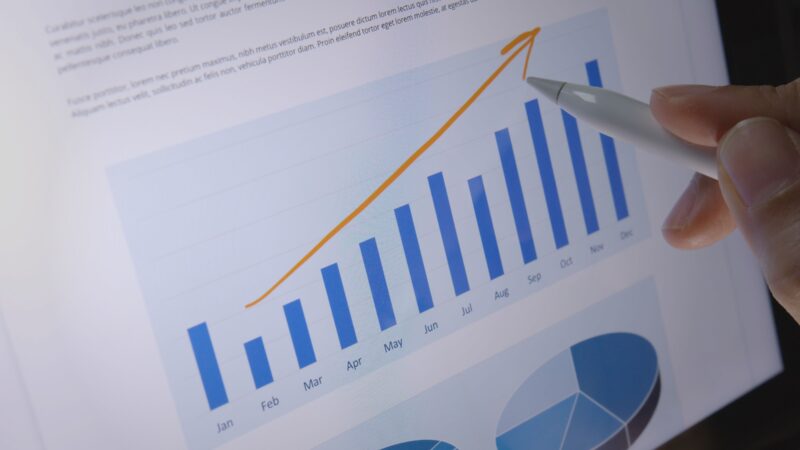
Have you ever wondered why your website isn’t ranking as well as it should? Or perhaps, you’re struggling to keep up with the constantly changing search engine algorithms? The truth is, optimising your website for search engines requires more than just basic knowledge.
To achieve success in SEO, you need to track specific metrics that indicate how well your site is performing. In this blog post, we’ll discuss the essential key performance indicators (KPIs) every savvy marketer should track for effective SEO campaigns. So sit tight and prepare to take your website’s ranking game to the next level.
Introduction to SEO
Here’s a quick introduction to SEO and why tracking your SEO progress is essential.
SEO, or Search Engine Optimization, is the process of optimising a website for Google search to earn higher web traffic levels and improve the site’s visibility. Many factors go into SEO, including website design, content, keyword research, backlinks, etc. Therefore, it can be a lot to keep track of.
That’s why it’s so important to clearly understand your goals and what you’re trying to achieve with SEO. Once you know that, you can start tracking key performance indicators (KPIs) that will help you gauge your progress.
By tracking your KPIs over time, you can get a good sense of whether or not your SEO efforts are paying off. A sudden drop in your favoured metrics could indicate something is wrong and needs fixing. Likewise, you’re on the right track if you see sustained growth in your KPIs.
What are Key Performance Indicators (KPIs)?
The term “Key Performance Indicators” (KPIs) gets thrown around a lot in business and marketing circles, but what exactly are they? KPIs are simply a way of measuring whether you’re achieving your desired results in a given area. This could be anything from website traffic to sales figures to social media interactions.
There are all sorts of KPIs out there, but which ones should you be tracking for your SEO efforts?
Website Traffic
If you’re not tracking your website’s traffic, you’re missing out on valuable data that can help you improve your SEO. Website traffic is a key performance indicator for SEO, and it can be used to measure the success of your SEO efforts.
There are a few different ways to track website traffic, but one of the most popular methods is Google Analytics. You can use Google Analytics to track how much traffic your website is getting, where it’s coming from, and what pages are being visited.
Another way to track website traffic is through server logs. Server logs will show you how much traffic your website receives, but they won’t provide as much detail as Google Analytics.
Whatever method you choose, tracking your website’s traffic is essential for improving your SEO. By understanding where your traffic is coming from and which pages are being visited, you can change your website to attract more visitors.
Conversion Rate
Another important KPI is conversion rate, which measures the percentage of visitors to your website who take a desired action, such as making a purchase or signing up for a newsletter.
If you’re not tracking conversion rate, you may be missing out on valuable insights into the effectiveness of your SEO campaigns. By tracking the conversion rate, you can identify which keywords and landing pages drive the most conversions and make changes to improve your results.
If you want to track the conversion rate, there are a few things you need to do:

- Set up goals in Google Analytics. This will allow you to track how many visitors take the desired action on your website.
- Use keyword data from Google AdWords to identify which keywords drive conversions.
- Use landing page data from Google Analytics to identify which pages are converting the most visitors.
- Make changes to your SEO campaigns based on your collected data. For example, try something different if specific keywords or landing pages aren’t performing well.
You can better understand what’s working and what isn’t in your SEO campaigns by tracking the conversion rate. This information can be used to improve your results and get more people to take the desired action on your website.
Bounce Rate
The bounce rate of a website is the percentage of visitors who leave the site after viewing only one page. A high bounce rate usually indicates that a website’s content is irrelevant to the visitor’s needs. If you are tracking your website’s bounce rate, you can use this information to improve your site’s content and make it more relevant to your target audience.
However, not all bounced traffic is bad. It could just mean visitors find the information they want and then move away from your site. It’s important to look at the stats for individual pages as well as the site as a whole.
Time on Page/Site
The amount of time a user spends on your website, or a specific page can be an important indicator of engagement. If users spend a lot of time on your site, it may mean they find your content valuable and relevant. Conversely, if users leave your site quickly, it could be a sign that they are not finding what they are looking for.
You can track time on the page/site using Google Analytics. First, go to the Behavior > Site Content > All Pages report to do this. Then, click on the Secondary Dimension drop-down and select Page from the list. This will show you the average time spent on each page of your website.
If you see users spending a lot of time on certain pages, consider creating more content like it. On the other hand, if users are leaving your site quickly, take a look at those pages to see if there is anything you can do to improve them.
 Organic Search Rank
Organic search rank is one of the most critical performance indicators for SEO. It measures how well your website is performing in organic search results.
Several factors can affect your organic search rank, including the quality of your content, your keywords’ relevance, and your website’s authority. If you’re unhappy with your current ranking, you can adjust your strategy, improve your website, and gain a higher ranking over time.
How To Track Your KPIs For SEO
- Google Analytics is a free tool that allows you to track your website traffic and activity. To set it up, create a Google Analytics account and add the tracking code to your website.
- Identify which KPIs you want to track. You can track several KPIs for SEO, such as website traffic, organic search traffic, organic keywords, conversion rate, and more. Choose the KPIs that are most important to your business goals and objectives.
- Create custom reports. Once you’ve identified which KPIs you want to track, create custom reports in Google Analytics to see how your website performs against those metrics.
- Check your reports regularly. Make sure to check your custom reports regularly so you can identify any trends or changes in your SEO performance. This will allow you to make necessary adjustments to improve your ranking and visibility in search engines.
Conclusion
Tracking key performance indicators is an essential part of any successful SEO strategy. By monitoring these KPIs, you can gauge your progress and make the necessary adjustments to ensure that your SEO efforts are effective and beneficial for your business.
With the right tracking tools in place, you can closely watch how well your website performs in terms of traffic, conversions, rankings, and more. In doing so, you will be able to get the most out of every optimisation effort you put into improving the visibility of your website.
Further Reading
Search Engine Optimisation (SEO)
Need help turning this advice into action?
If you are reviewing your website, marketing or online visibility, we can help you work out what to improve first.
Related articles
 SEO
Why Sounding Human Again May Be the Future of SEO
Why sounding human again may be the future of SEO. Discover why authentic content, Geo Marketing, and real expertise matter more than ever in…
Read article
SEO
Why Sounding Human Again May Be the Future of SEO
Why sounding human again may be the future of SEO. Discover why authentic content, Geo Marketing, and real expertise matter more than ever in…
Read article
 SEO
How to Get Your Website to the Front of the Crowd
Creating a website today without SEO, social media, or any marketing at all is a bit like standing at the back of the O2…
Read article
SEO
How to Get Your Website to the Front of the Crowd
Creating a website today without SEO, social media, or any marketing at all is a bit like standing at the back of the O2…
Read article
 SEO
Designing a Website with SEO in Mind
Designing a Website with SEO in Mind walks you through the steps you need to creae a website that serves people and search engines…
Read article
SEO
Designing a Website with SEO in Mind
Designing a Website with SEO in Mind walks you through the steps you need to creae a website that serves people and search engines…
Read article
 VideoandWeb.com